The problem
A regular and a tourist look identical on a receipt.
Follow one guest through a month and compare what your POS records with what SipCoin records.
- 01First visit
Your POS sees
Tab #4471
$66.00 · card
SipCoin records
@lukee checked in
First Pour · 1 visit
- 02Purchase
Your POS sees
Tab closed
3 drinks, 1 food
SipCoin records
Receipt confirmed
+640 SC · code 498 029
- 03Return visit
Your POS sees
Tab #4519
9 days later
SipCoin records
@lukee is back
2nd accepted check-in
- 04Reward
Your POS sees
Comp: $12.00
reason: manager
SipCoin records
Redeemed: House cocktail
900 SC · fulfilled by staff
- 05Regular
Your POS sees
—
no record
SipCoin records
On the List
3 visits · staff know the face
01Guest side
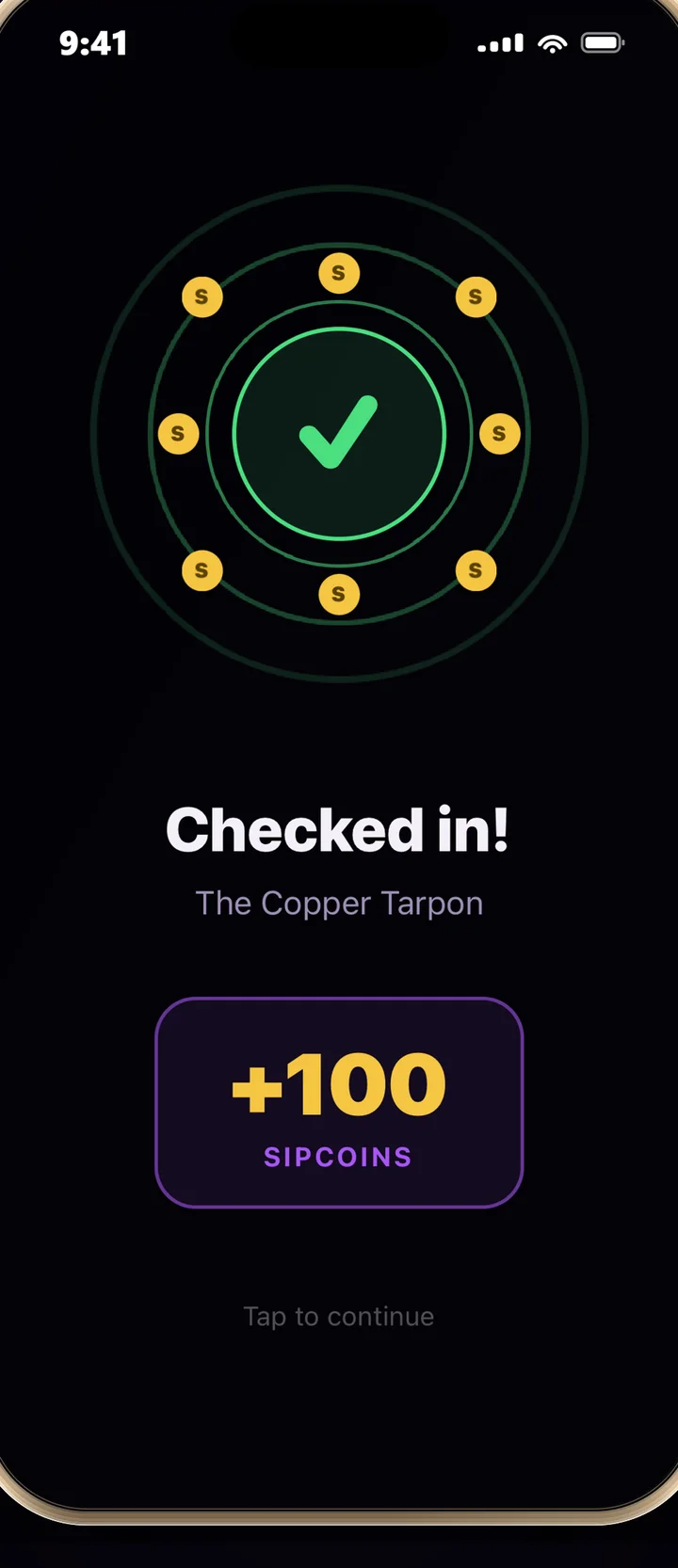
Guest checks in
They open SipCoin at your bar and check in. The check-in sits as pending until your staff accept it, so nobody earns a visit from the parking lot.
02Venue side
Staff confirm the transaction
The guest scans the tab and reads out a six-digit code. Your bartender matches it against the receipt in the queue. Points only exist after that tap.
venue.sipcoin.app / queueliveCheck-ins2Receipt codes3Redemptions1GuestCodeAmountItemsStatusAction@lukee498 0299583expires 9:41Confirm@marisol213 8871401expires 7:12Confirm@deshawn730 4123202expires 4:05Confirm03Guest side
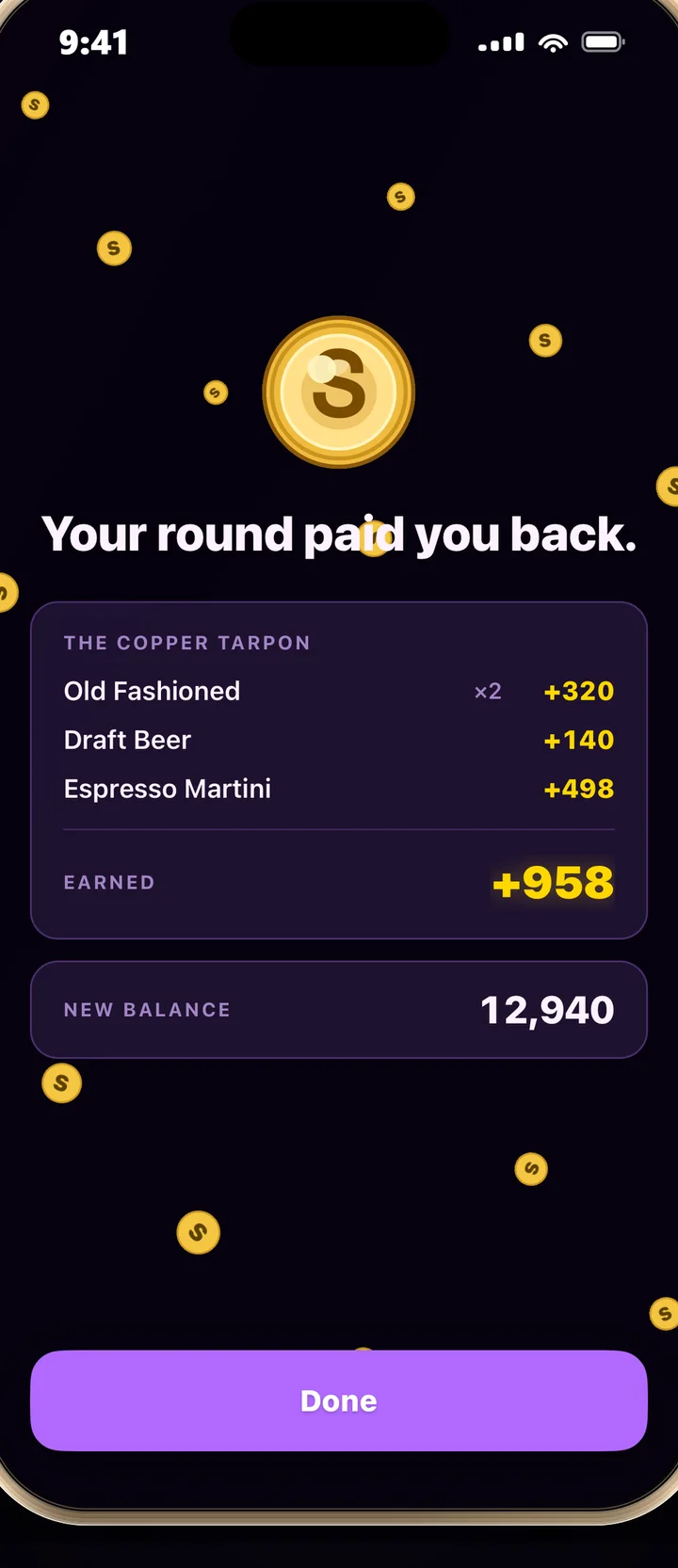
Guest earns SipCoins
Credit is calculated from the confirmed line items at 10% back on eligible spend. Balances are written by a locked database transaction, never edited by hand.
The Copper Tarpon
Tab 4471 · Sat 11:42 PM
- 2× Old Fashioned$32.00
- 2× Draft beer$14.00
- Espresso Martini$18.00
- Fries$9.00
Total$73.00Eligible spend$64.00× 10 per $1+640 SCConfirmed by staff · code 498 029
04Guest side
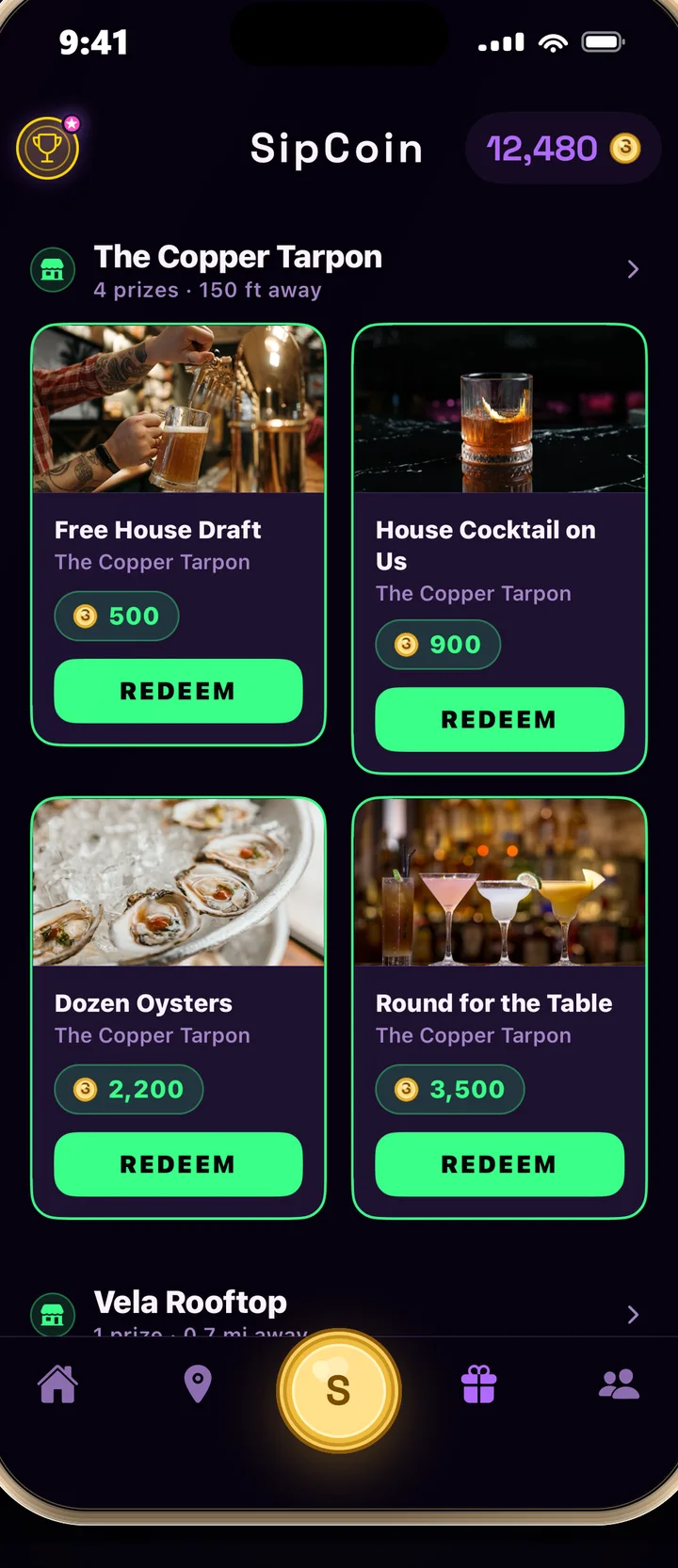
Guest redeems
They spend SipCoins on rewards you define: a drink, a round, a table, cover for a night. Staff fulfil it with another short-lived code.
05Guest side
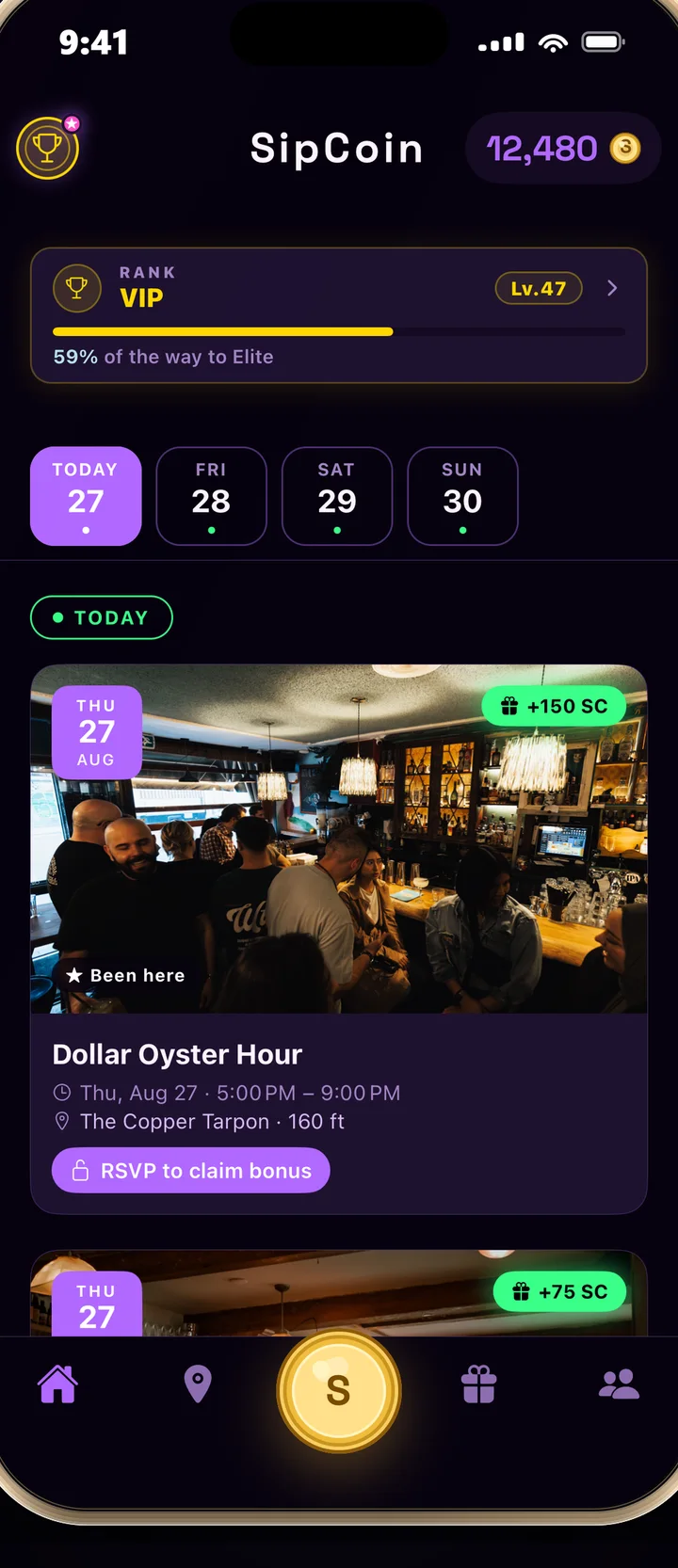
Guest returns
Each accepted check-in moves them up your venue's regular tiers, from First pour to Legend. Higher tiers earn a little more, so coming back compounds.
06Venue side
You learn what happened
The dashboard shows who came, what they spent, what they redeemed, and who came back. Your regulars page lists them by name.
venue.sipcoin.app / dashboardThe Copper TarponCheck-ins today
41
Receipts today
27
Redemptions today
9
Pending codes
3
Regulars by tier
accepted check-ins
- First Pour212
- On the List64
- One of Us23
- Inner Circle8
- Legend of the House2
Why points cannot be inflated
Confirmation is the control.
A loyalty balance is money your venue has promised. These are the rules that keep it honest, and every one of them is enforced in the database rather than in the app.
Pending until accepted
A check-in is created as pending and only counts once staff accept it. Nobody earns a visit from the parking lot.
Credited by a locked routine
The confirmation routine locks the receipt row, prevents a second confirmation, and writes the balance itself. Balances cannot be updated any other way.
Computed from your menu
The payout is price × quantity for confirmed line items at the giveback rate. The guest never enters an amount.
Rejected before it counts
Duplicate photos, receipts from a different venue, receipts older than three days, and daily caps on receipts and credit are enforced twice: at scan time and at confirmation.
Questions
Asked by every bar so far.
Does SipCoin integrate with my POS?
No integration is required, and none is needed to start. The guest scans their receipt in the app, the line items are matched to your menu, and a staff member confirms the six-digit code against the tab. Your POS is untouched. A direct integration is on the roadmap for venues that want to skip the scan.
What stops a guest from inflating their points?
Points are credited by a locked database routine only after a staff member confirms the code. Credit is computed from the confirmed line items and your menu prices, not from a number the guest types in. Duplicate photos, receipts from other venues, receipts older than three days, and daily caps are all rejected before a point is written.
What does staff have to do on a busy night?
Read a six-digit code off the guest's phone, find it in the queue, tap confirm. Check-ins and reward redemptions work the same way. The queue runs in a browser on a phone or a tablet behind the bar.
What counts as eligible spend?
Items on your menu that you mark as eligible. Alcohol categories are eligible by default. Food and merchandise are not unless you choose to include them.